
Support / Integrations
What tools does Pilea integrate with
Pilea connects to the tools your team already uses so feedback, customer data, and development tasks flow in and out without manual work. This article lists every available integration and what each one does. To see your integrations, go to Integrations in the sidebar under Data Sources.
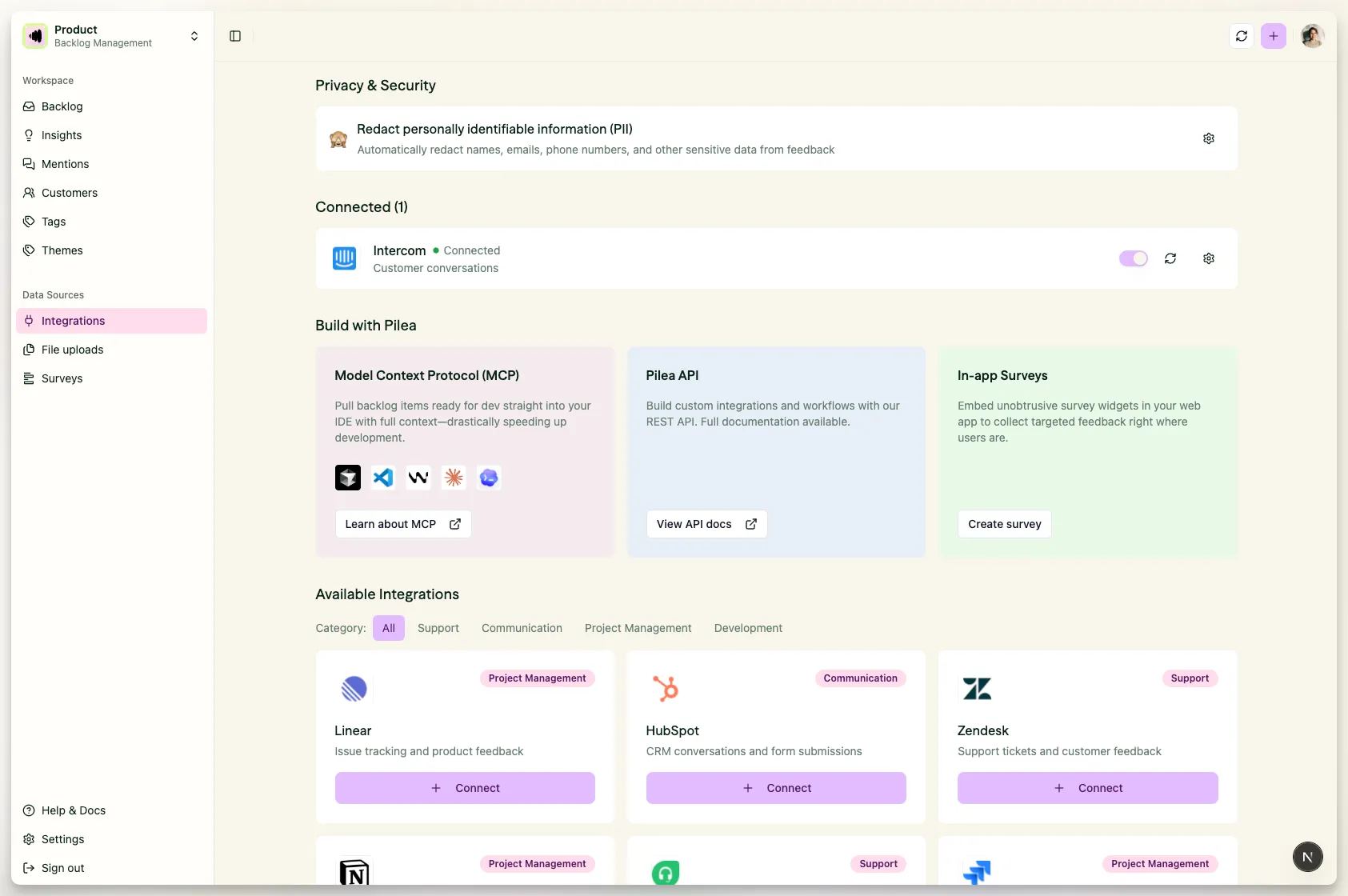
Screenshot: Integrations page showing connected integrations and available integrations grid
The page shows your Connected integrations at the top, then the catalogue grouped by what each tool does: Bring in feedback, Bring in conversations, Add context, Push work out, and More tools. If your team picked tools during onboarding, the ones you haven’t connected yet sit in a Your tools card above the catalogue. Every tile carries a badge that tells you whether it connects with OAuth or an API key.
Bring in feedback
These integrations pull customer feedback into Pilea, where the AI structures it into backlog items.
| Integration | What it syncs to Pilea | Connects with |
|---|---|---|
| Intercom | Customer conversations | OAuth |
| Zendesk | Support tickets and customer records | OAuth |
| HubSpot | Companies and deals, support tickets, sales emails, notes and meetings | OAuth |
| Attio CRM | Companies (and optionally people), notes, deal sizes, and call transcripts | OAuth or API key |
| Slack | Messages your team captures with an emoji reaction, an @Pilea mention, a message shortcut or the /pilea command, plus every message in the channels you choose to listen to. Pilea also posts skill updates and summaries back to Slack. |
OAuth |
| AppFollow | App Store reviews and ratings | API token |
HubSpot, Attio, Intercom and Zendesk sync automatically every 6 hours. Slack is event-driven - messages arrive as they’re posted.
Bring in conversations (meeting recorders)
These integrations import call recordings and meeting transcripts into Pilea as interviews, so what customers say out loud on sales calls, user interviews, and check-ins gets structured into backlog items alongside your written feedback. Each connects with an API key and syncs every 6 hours. With Auto-analyze recordings on, Pilea transcribes and analyzes each recording with no manual review step.
| Integration | What it imports |
|---|---|
| Gong | Call recordings and transcripts |
| Fireflies | Meeting recordings and transcripts |
| Granola | Meeting notes and transcripts |
| Jiminny | Call recordings and transcripts |
Calls recorded in Attio come in through the Attio CRM integration above - see Importing call transcripts from Attio.
ℹ️ Note: Meeting recorders are being rolled out per organization. If you don’t see these tiles on your Integrations page, email us and we’ll enable them for you. See Importing call recordings and meetings for setup steps.
Add context
These integrations pull in documents and repository content that give Pilea more context when it structures and scores your backlog.
| Integration | What it imports |
|---|---|
| Notion | Pages you share with Pilea, each imported either as feedback to analyze or as a knowledge document |
| GitHub Repositories | Repository files and pull-request context |
Push work out
These integrations let you export backlog items from Pilea into your issue tracker. All three keep status in two-way sync.
| Integration | What it does |
|---|---|
| Linear | One-click export, two-way sync of issues and status |
| Jira | One-click export, two-way sync of issues and status |
| GitHub Issues | One-click export, two-way sync with GitHub Issues |
Exports to Monday, Asana, ClickUp and Trello are not available yet - email us if you’d like early access.
More tools
Anything that doesn’t fit the groups above appears under More tools, including connector templates set up for your organization.
Developer tool integrations (MCP)
Pilea connects to developer IDEs through the Model Context Protocol (MCP). Developers can view backlog items, read linked customer feedback, and access priority breakdowns directly in their coding environment. The Feed your coding agent panel on the Integrations page has a Set up MCP button that takes you to the setup page.
| IDE | |
|---|---|
| Claude Desktop | Full access |
| Claude Code CLI | Full access |
| Cursor | Full access |
| Windsurf | Full access |
| VS Code | Full access |
| Codeium | Full access |
Custom integrations
Build your own workflows or connect internal tools using the Pilea API.
| Integration | What it does |
|---|---|
| REST API | Read and write feedback, backlog items, customers, and more programmatically |
| MCP Server | Connect Pilea to AI tools like Claude for data exploration |
See Using the Pilea API and MCP for details.
How integrations connect
Most integrations use OAuth - you click Connect, authorize access in the other tool, and get redirected back to Pilea. Meeting recorders and AppFollow use an API key instead. Zendesk also asks for your Zendesk subdomain, and Jiminny asks for your data region.
Integrations are connected at the organization level. Each workspace then has its own Auto sync switch on the connected card and configures its own data filters.
Only admins can connect, configure, or disconnect integrations. Slack is included on every plan.
Stuck? Email us — a human answers, usually the same day.