
Product update: summer 2026
It’s been a busy summer. Here’s what changed in Pilea since June, and what it means for you:
- Analysis you can trust more – long feedback gets condensed before analysis, duplicates collapse better, and every link to a backlog item now shows the exact words the customer used
- Re-analyse and archive – re-run analysis on a selection or a whole workspace, switch framework while you do it, and archive the noise
- Your own analysis framework – define the categories that match how your team decides, with Pilea helping you design them
- Call recordings flow in automatically – Gong, Fireflies, Jiminny, Granola and Attio
- Custom customer fields – segment, region, seats, whatever you track – and filter the backlog by them
- A faster backlog – ⌘K search, mentions over time, deep links, and inline editing
- Pilea, skills and pulses – see exactly what was delivered where, and dial each skill’s notifications up or down
- Private workspaces, roles, and moving data between workspaces
- A much bigger API and MCP surface
Analysis you can trust more
The heart of Pilea is turning a pile of raw feedback into a backlog you’d defend in a roadmap meeting. Most of the summer went into making that step more accurate.
Long feedback is condensed before analysis. Support tickets, interview transcripts and call notes often run thousands of characters, and the product-relevant part is a fraction of it. Pilea can now extract that essence first, then analyse. On a real customer workspace this recovered sixteen feedbacks that were previously too noisy to be actionable and eliminated near-duplicate backlog titles entirely. The original text is never touched – it’s one click away on every mention. Turn it on per workspace in settings, with optional instructions for what to keep.
Duplicates collapse better. We rolled out general de-duplication improvements to every workspace, so the same request arriving from Intercom, a survey and a sales call is more likely to land on one backlog item instead of three.
See the customer’s actual words. Every link between a mention and a backlog item now carries a verified, verbatim supporting excerpt – the sentence that made Pilea connect the two. No more opening the source to check whether the link makes sense.
Oversized feedback no longer gets cut off. Very long inputs are analysed in context-preserving chunks instead of being truncated.
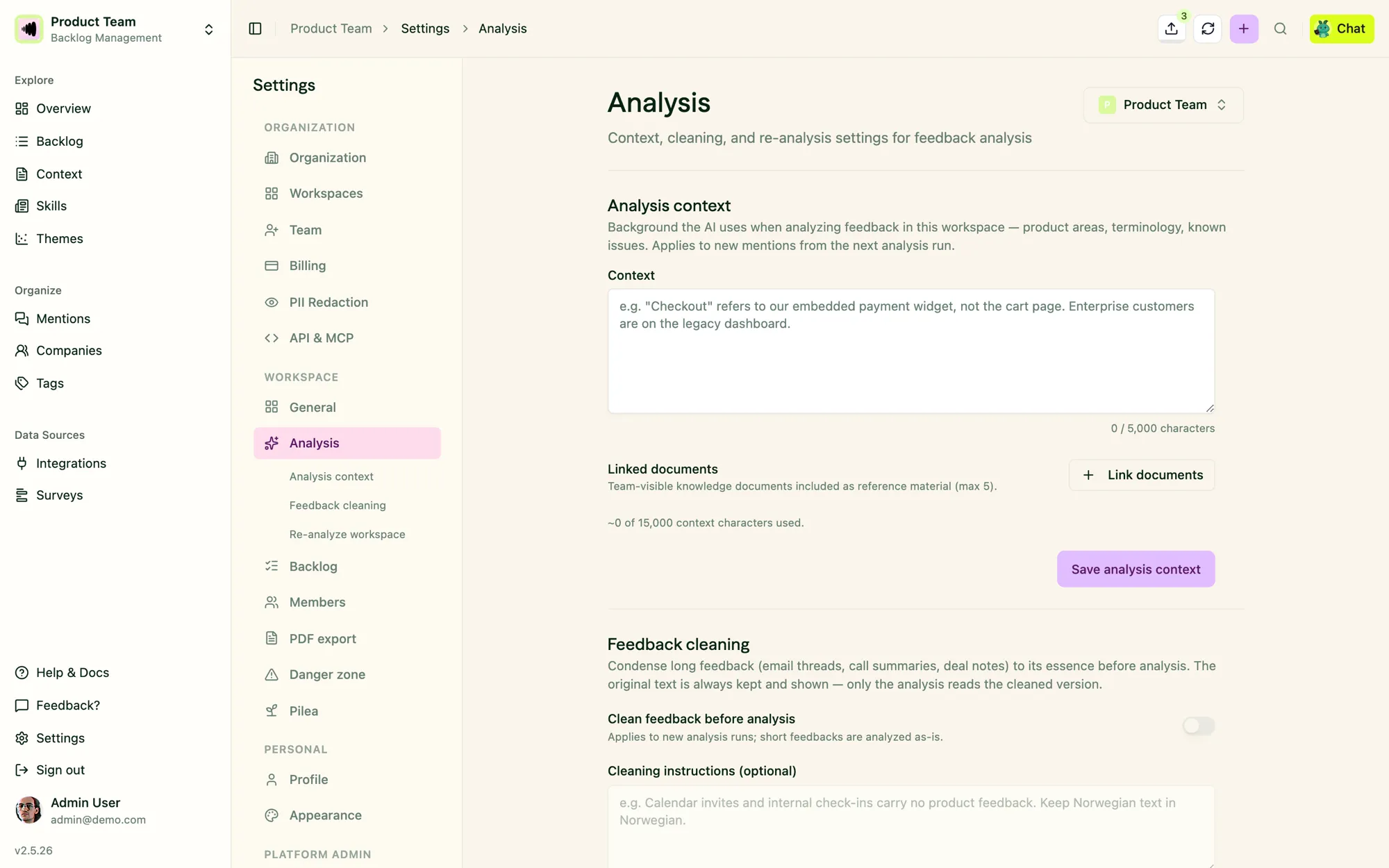
Analysis context and feedback cleaning live together under Settings → Analysis. The original text is always kept.
Pilea knows your business. Fill in company context – who you are, what you build, and for whom – and you can add workspace-level analysis context on top. Ambiguous feedback reads clearly to a system that knows your product.
Re-analyse and archive
Two things customers asked for repeatedly.
Re-analyse. Pick a handful of mentions, or hit Re-analyse all in workspace settings, and Pilea clears the previous results and runs again with your current framework, context and cleaning settings. A workspace-wide progress banner shows where it’s at. You can even switch your analysis framework as part of the re-run, so changing how you categorise no longer means starting a new workspace.
Archive. Test data, internal chatter, the one customer who spams every channel – archive those mentions and they disappear from the default list, overview numbers and every backlog, tag and customer counter, while the source data stays intact. Restore any time.
Your own analysis framework
Pilea shipped with fixed lenses: bugs, feature requests, jobs to be done. Now you can define your own.
Custom frameworks let you set up to twelve categories with their own icons, chosen to match the recurring decision your analysis feeds – not just topic buckets. If you’d rather not design it from scratch, open a chat with Pilea: it asks a few grounded questions about how your team makes decisions, then proposes a framework you can adopt or refine.
You’ll find it as a step in onboarding, in the create-workspace dialog, and under Settings → Workspaces.
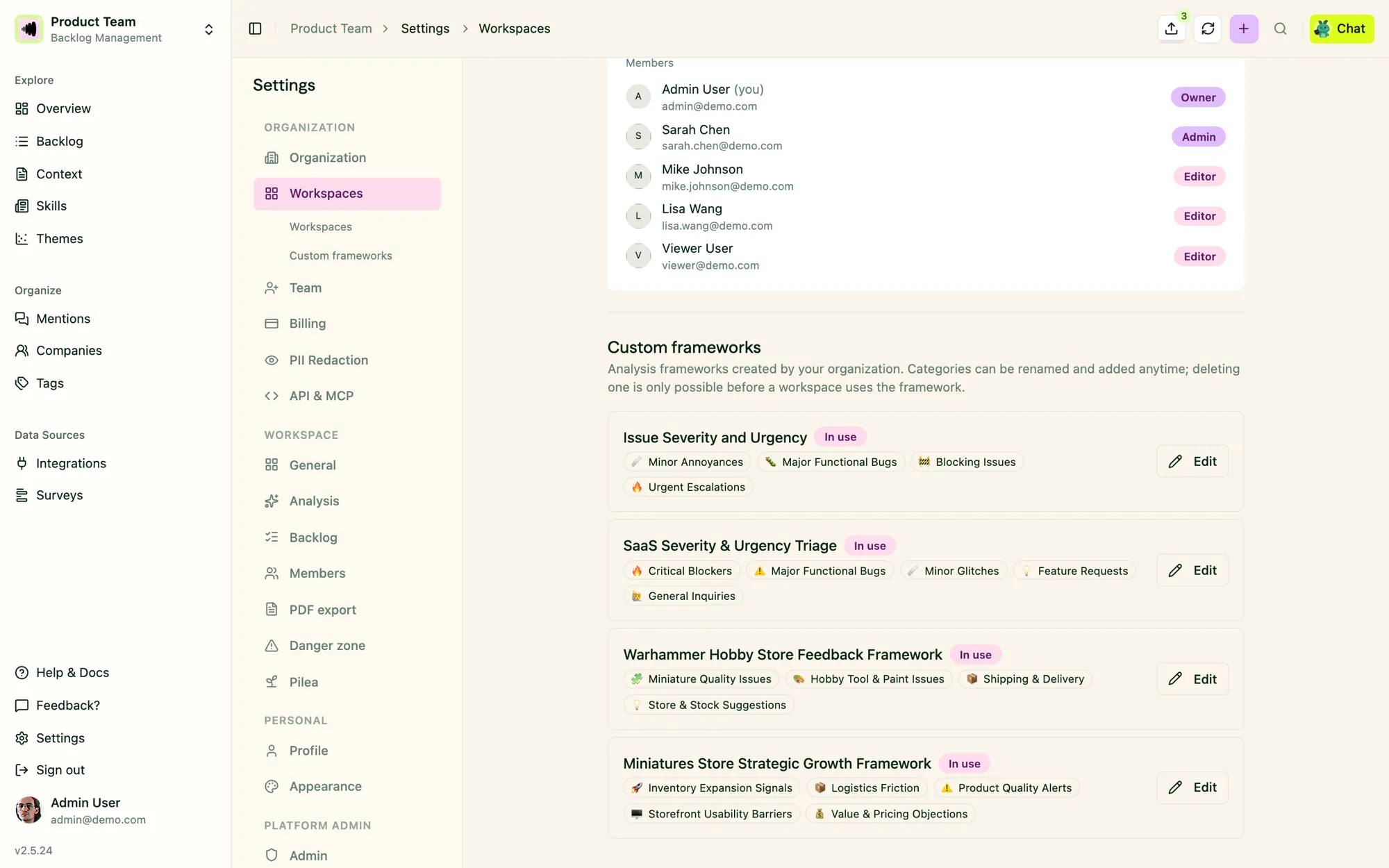
A custom framework with its own categories – here, one built around issue severity rather than feature type.
Call recordings flow in automatically
Until now, getting a sales call or user interview into Pilea meant exporting a recording and uploading it. Five new connectors do that for you:
Gong, Fireflies, Jiminny, Granola and Attio now sync recordings and transcripts into Pilea on their own. With auto-analysis on, a call recorded in the morning is diarised, summarised and linked to your backlog by the afternoon, with no manual review step. Interview summaries also get descriptive, editable titles instead of filenames.
See the full list on the integrations page.
Custom customer fields
Every team tracks something about their customers that the CRM doesn’t – segment, region, seat count, contract tier. You can now define those fields in Pilea, with a type (text, number, select or date), and maintain the values in the app or through the MCP.
Once defined, they show up as sortable columns on the customer list, as filters, and in bulk edit. More importantly, they show up in the backlog: filter items by customer field and you can answer “what are our enterprise customers in the Nordics asking for?” in one click.
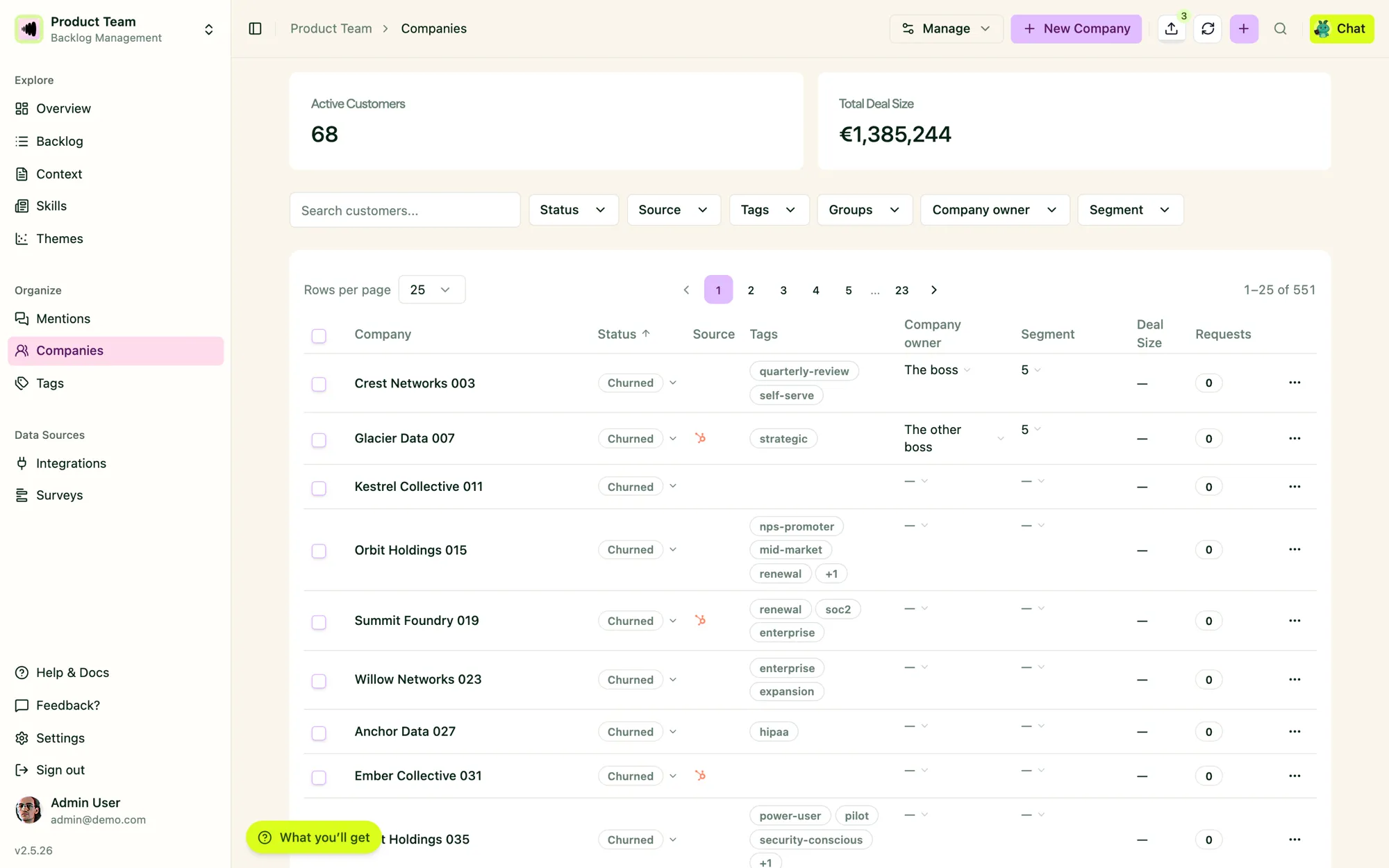
Custom fields become columns, filters and bulk-edit targets on the Companies list.
Alongside this: customer groups for registering feedback against many customers at once, a searchable customer picker in the Slack feedback modal, and customer edits that propagate down to every mention and excerpt.
A faster backlog
A batch of small things that add up to a lot less clicking:
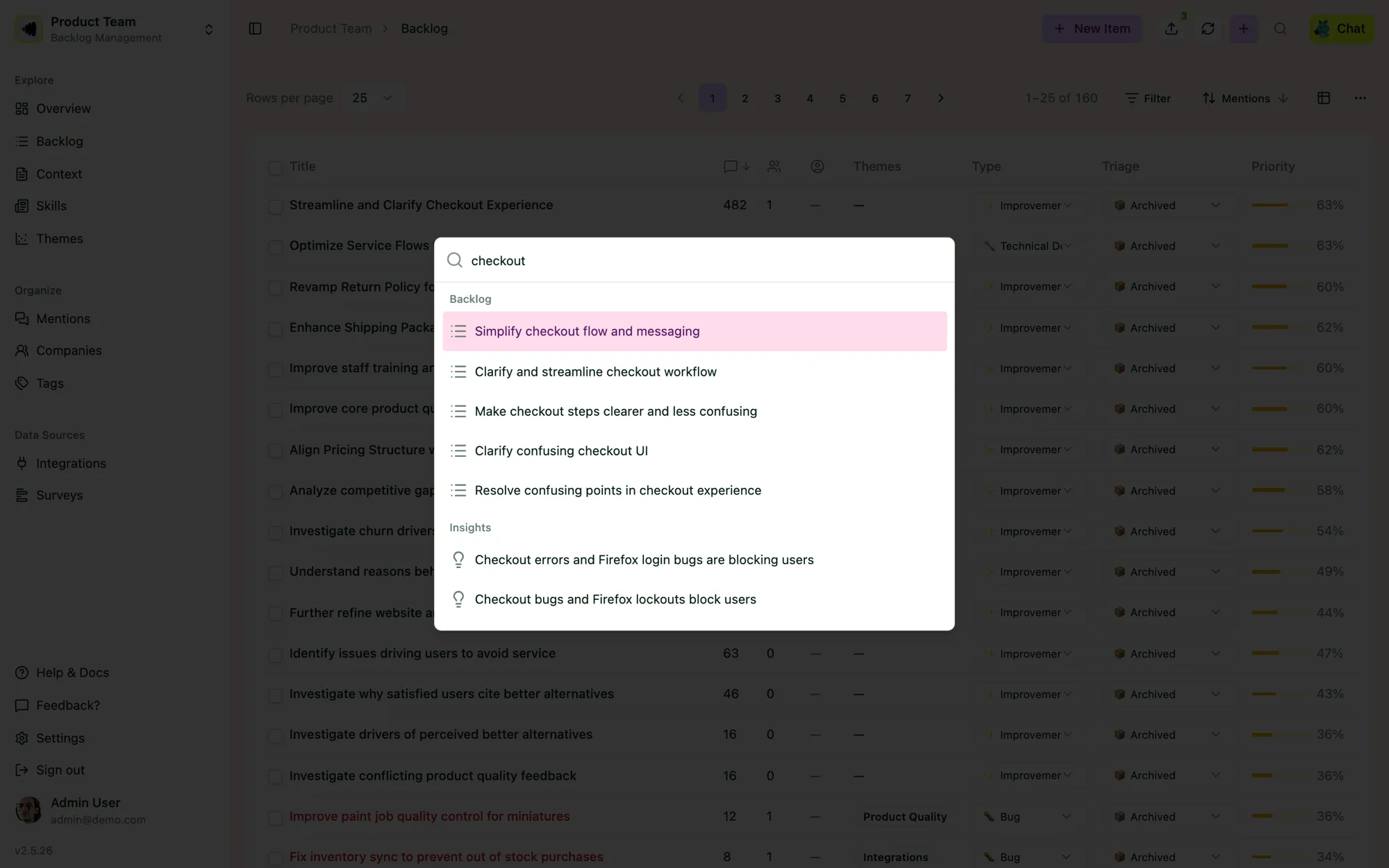
⌘K searches everything at once – backlog items, insights, themes, customers – and jumps you straight there.
- ⌘K / Ctrl+K opens a command palette anywhere in the app – search companies, backlog items, themes, tags, insights, surveys and documents, jump to any page, or start a chat with Pilea.
- Mentions over time sits above the detail tabs on every backlog item, so you see whether a request is growing or fading before you read a word.
- Filter by mention date, with counts windowed to match, so “what came in this month” is a real view.
- Deep links – every item has a URL you can paste into Slack or Linear, and it opens the detail sheet directly.
- Previous / next in the item detail, following the order you’re looking at.
- Compact toolbar and inline editing in list views, with column widths remembered per view.
- Create tags and themes inline from an item, without leaving it.
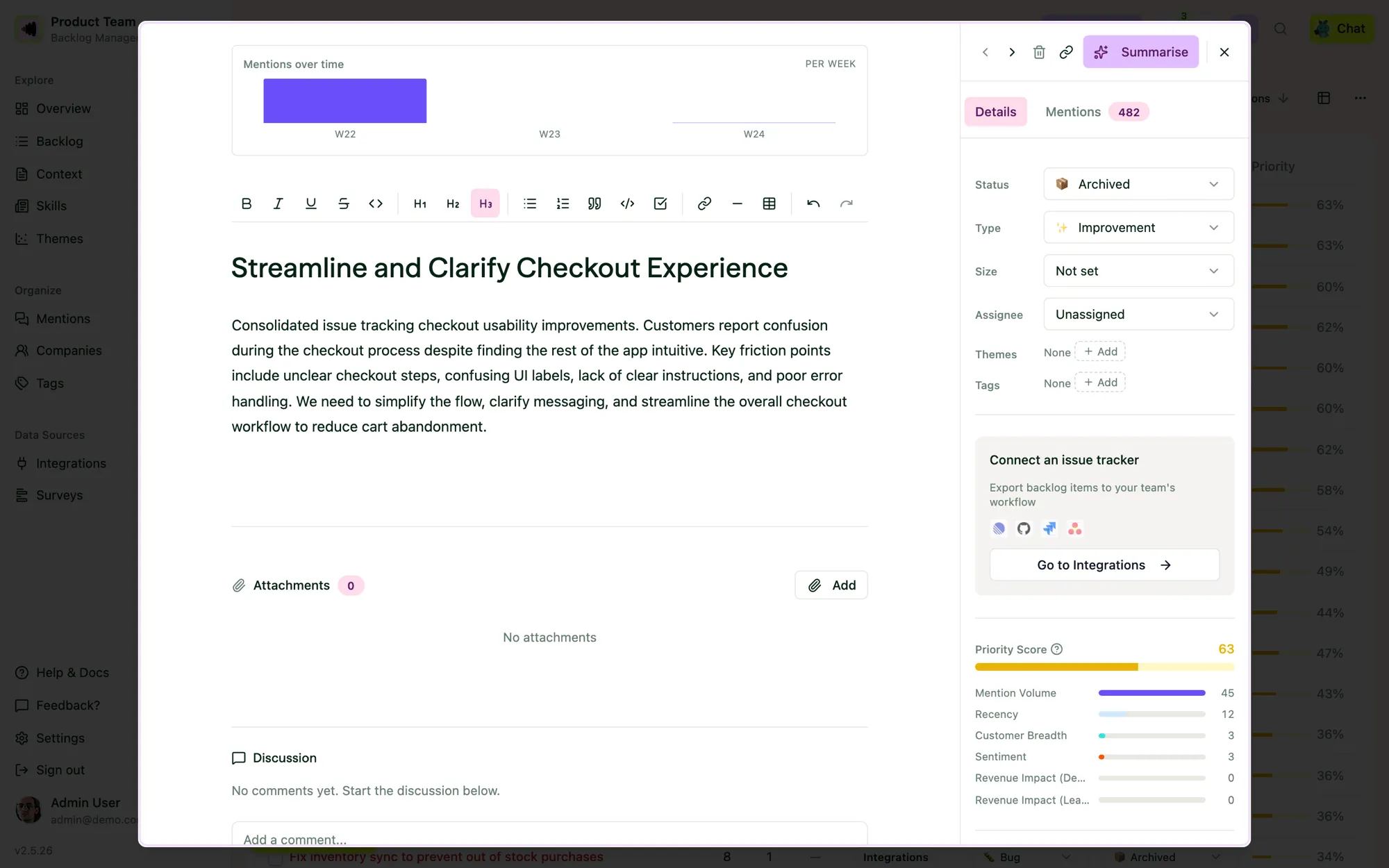
Mentions over time sits at the top of every item, with previous / next in the corner and the priority breakdown alongside.
Pilea, skills and pulses
If you read the agents introduction in May: the model has settled. Every workspace has one agent, Pilea, that carries a set of skills – reusable instructions – and each skill can have a pulse that runs it on a schedule. The support article has the full picture. What changed over the summer:
An Updates feed that shows where things went. Every run lands in a feed, with the skill that produced it and verified delivery chips showing whether it was posted to Slack, sent by email, or both. Updates can now include charts.
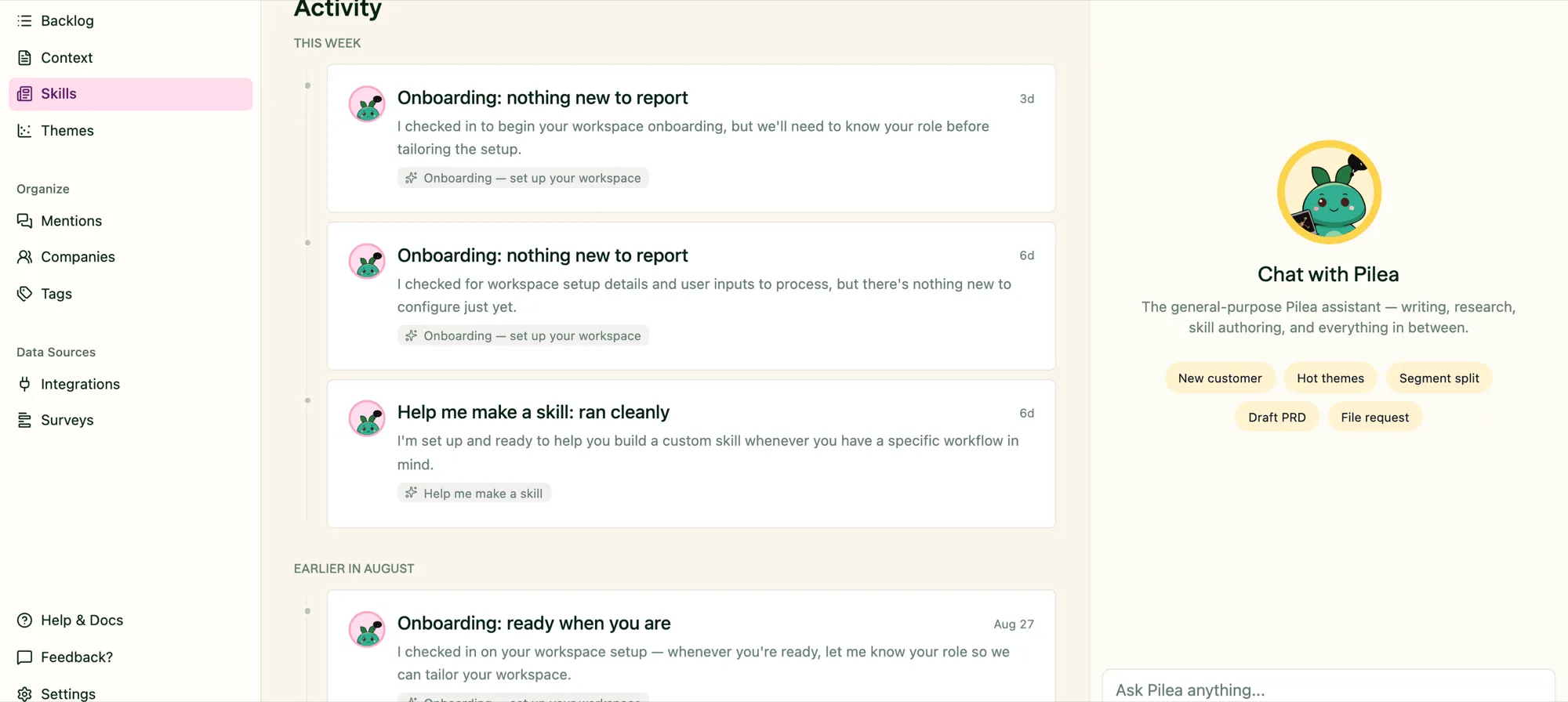
Every run lands in the feed, labelled with the skill that produced it.
Per-skill notification modes. Each skill is silent, summary or full – so a weekly digest can arrive in full while a daily triage pass stays quiet unless you open the feed.
A rebuilt schedule picker, separate Slack and email delivery, and skill templates you can preview before installing.
Full-coverage feedback reports. When you ask Pilea for a report across a large period, it now covers the whole set and tells you honestly when it sampled, rather than silently summarising a subset.
Skills you can trigger from outside Pilea – any skill can be run from the API, so a deploy pipeline or a CRM automation can ask for a fresh summary.
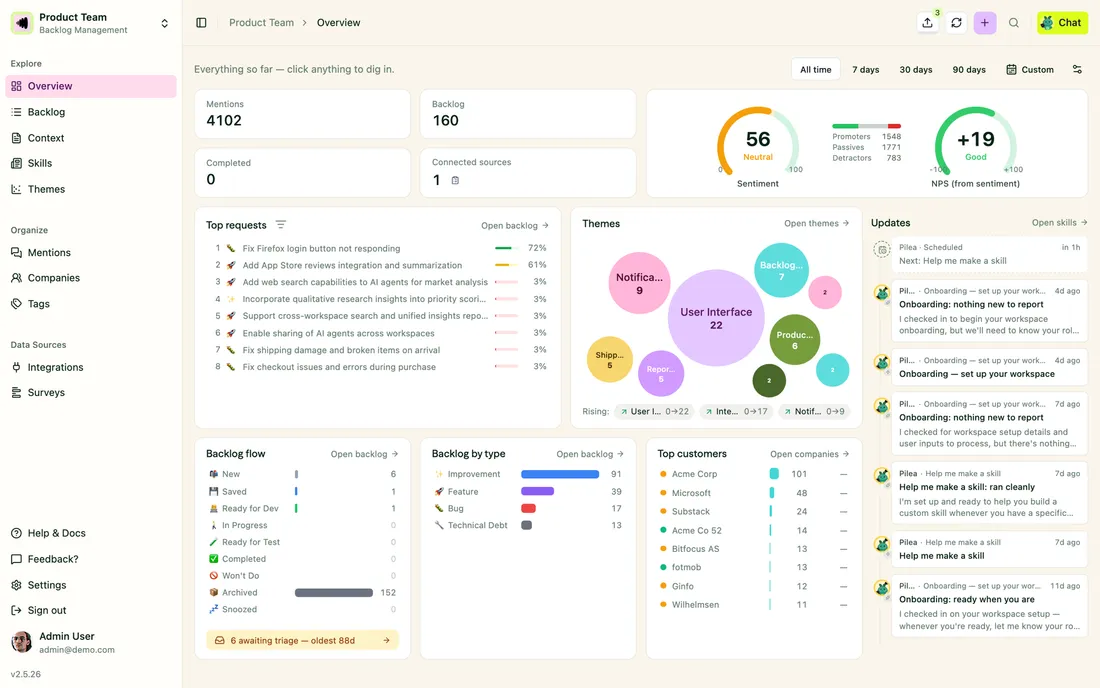
We’re also rolling out an Overview dashboard – a landing page with your key numbers and trends across the workspace – to organisations in batches. If you’d like it switched on early, tell us.
Surveys
Survey questions can now include images, and choice questions get an optional “Other” free-text answer. Published surveys always get a shareable link.
Teams, roles and workspaces
Organisation-level roles and private workspaces. Roles are now set once at the organisation level, and a workspace can be private – visible only to its members. Read-only users stay read-only everywhere, and the last admin of a private workspace can’t be removed by accident.
Move or copy feedback between workspaces, with a fresh analysis in the destination straight away.
Duplicate a workspace. Everything – settings, members, feedback, mentions, themes, backlog items with their links and tracker exports, comments and attachments – copied into a new workspace, with integration syncing off until you turn it on. Handy for trying a new framework on real data.
Shared document folders. Share a folder of documents across workspaces, optionally editable, analysed per workspace.
API and MCP
For teams building on Pilea or using it from Claude, Cursor and friends, the API and MCP surface grew substantially:
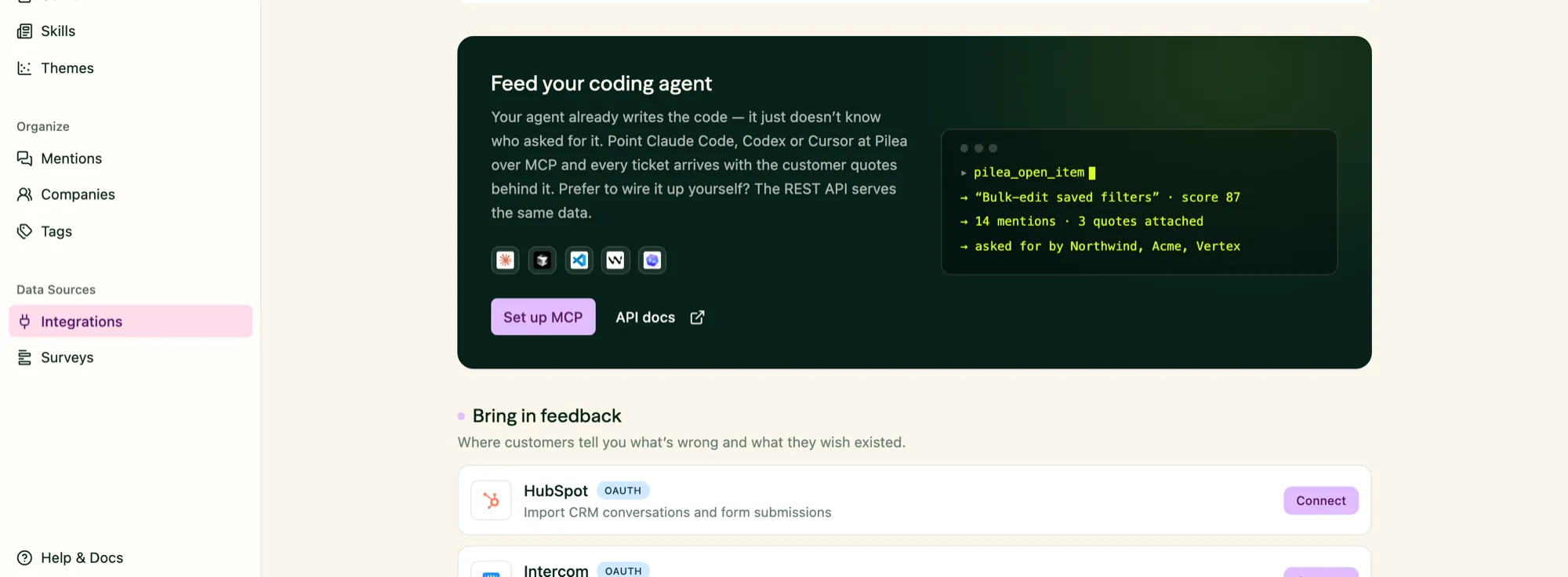
Point Claude Code, Codex or Cursor at Pilea over MCP and every ticket arrives with the customer quotes behind it.
- Fine-grained scopes on API keys, and keys bound to a workspace
- Server-side filtering on backlog items and search on customers and mentions
- Triage and timeline endpoints designed for MCP workflows
- Bulk updates – one request to change many backlog items or customers
- Customer fields, archive, re-analyse, analysis settings and run a skill, all from the API
- Environment-setup resources so an MCP client can configure itself against your workspace
- Set
mentionedAtwhen creating mentions, so imported history keeps its real dates
Getting started is easier
New organisations get an AI-guided onboarding: tell Pilea your goal, get a recommended analysis lens with a live preview, pick the tools you use, and accept a set of scheduled reports designed for you – with rendered samples so you know what will land in your inbox. Every empty page now explains what it will show once your data arrives, personalised to the tools you picked, and the integrations catalogue leads with them.
Under the hood
Less visible, but it matters:
- PII redaction is fail-closed. Feedback and survey responses are not analysed until redaction has confirmed they’re safe, and an inconclusive result blocks rather than passes.
- Two external security audits over the summer; every finding is closed, and we added rate limiting, workspace-scope enforcement at the data layer, and session revocation on password change.
- More resilient AI calls – automatic retries on transient provider errors and a model refresh – so fewer analyses stall.
- Magic-link invites are valid for 24 hours, and expired invitations can be re-sent.
As always, most of the above started as feedback from you. Keep it coming – reply to this update, or tell us in your usual channel.
The Pilea Team 🌱