
Integrations / Communication & CRM

Slack
The best feedback gets said in Slack. Then it's gone.
Every day your team trades customer insight in Slack threads — a sales rep quoting a prospect, a CSM flagging a churn risk, a founder relaying a demo. Pilea catches it before it scrolls away, and turns it into structured, scored backlog items.
Already have a Pilea account? Jump to install instructions ↓
One emoji, and it's saved
React to any message with 🌱 and Pilea logs it as feedback — tagged to the customer, with the thread kept as evidence. No forms, no context-switching, no 'I'll add it later.'
Democratize your feedback
A #feedback channel where anyone can drop a 🌱 turns every teammate into a listening post. Support, sales, and design all contribute to the same scored backlog.
Close the loop back in Slack
Pilea posts summaries and agent updates straight to your channels, so the team sees what the signals added up to — without opening another tool.
How it works in Slack
Here’s exactly what your team sees once Pilea is installed.
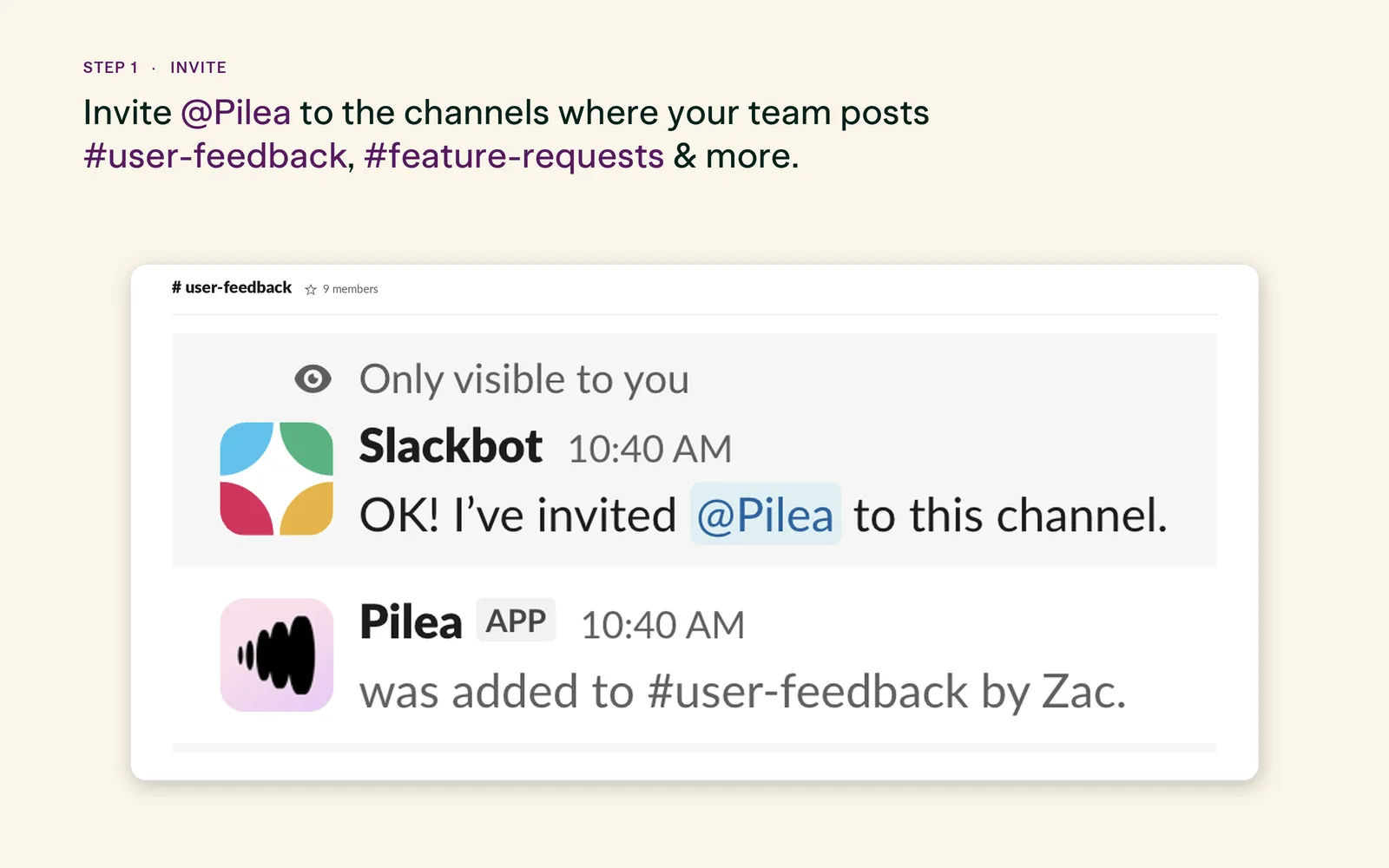
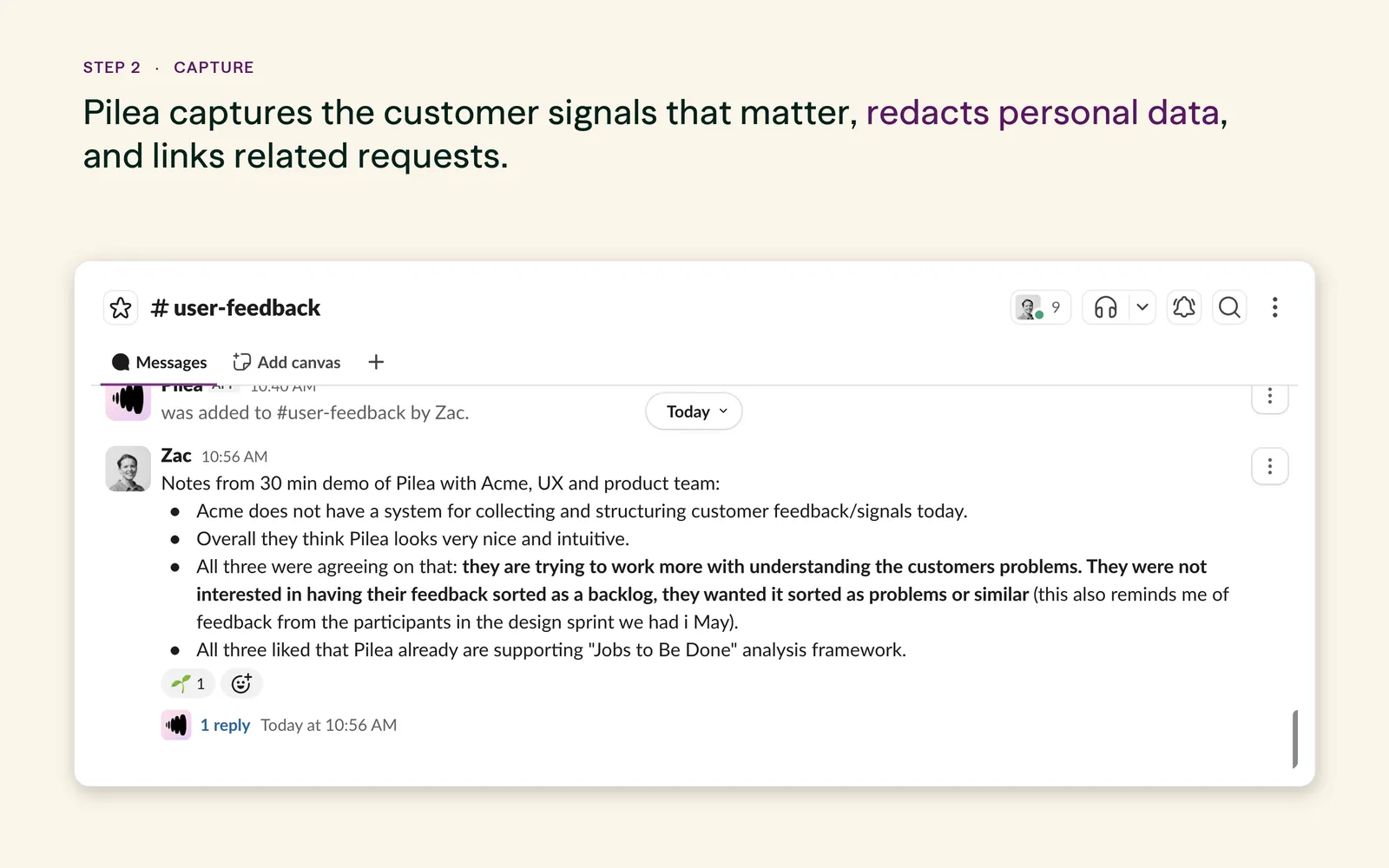
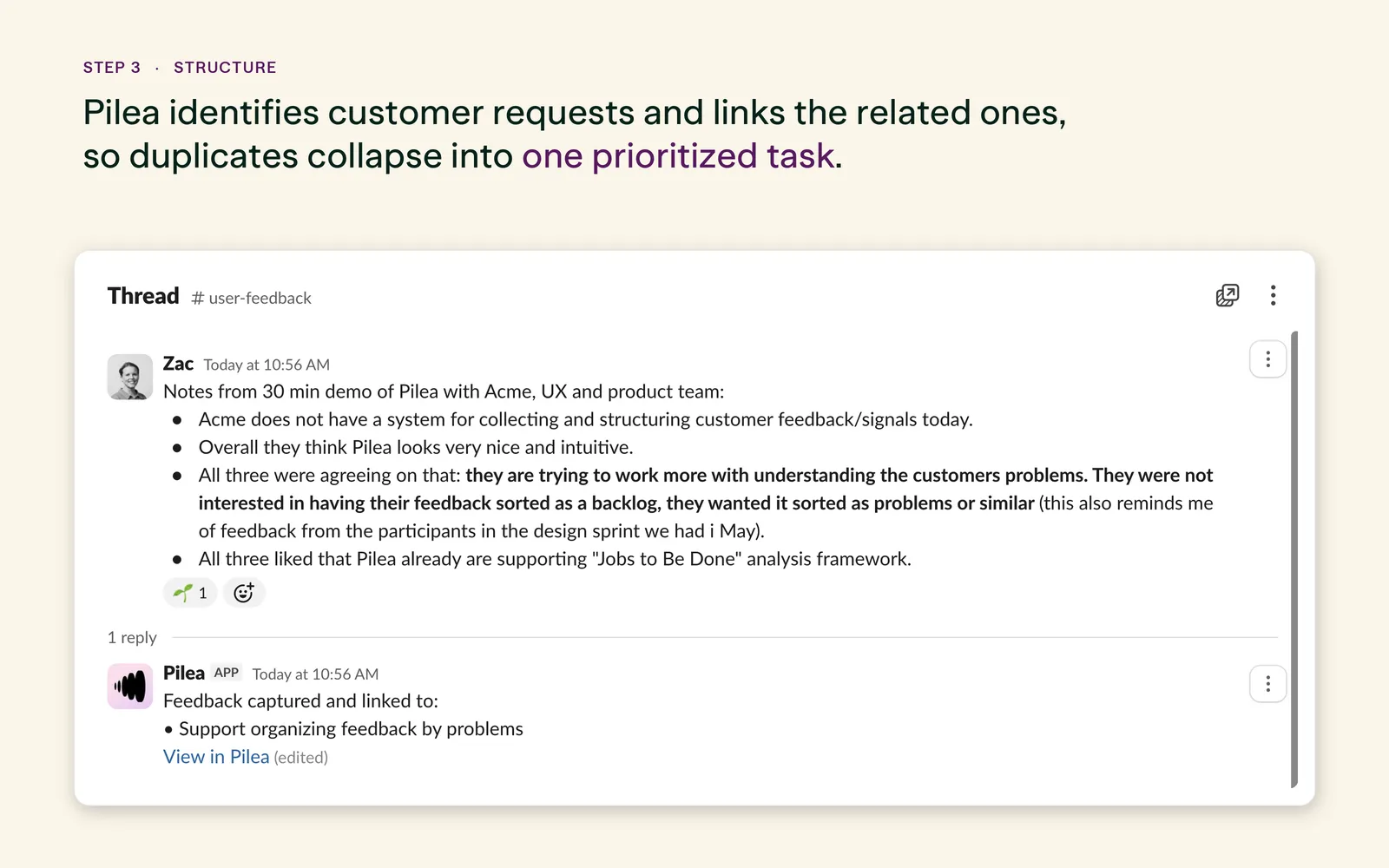
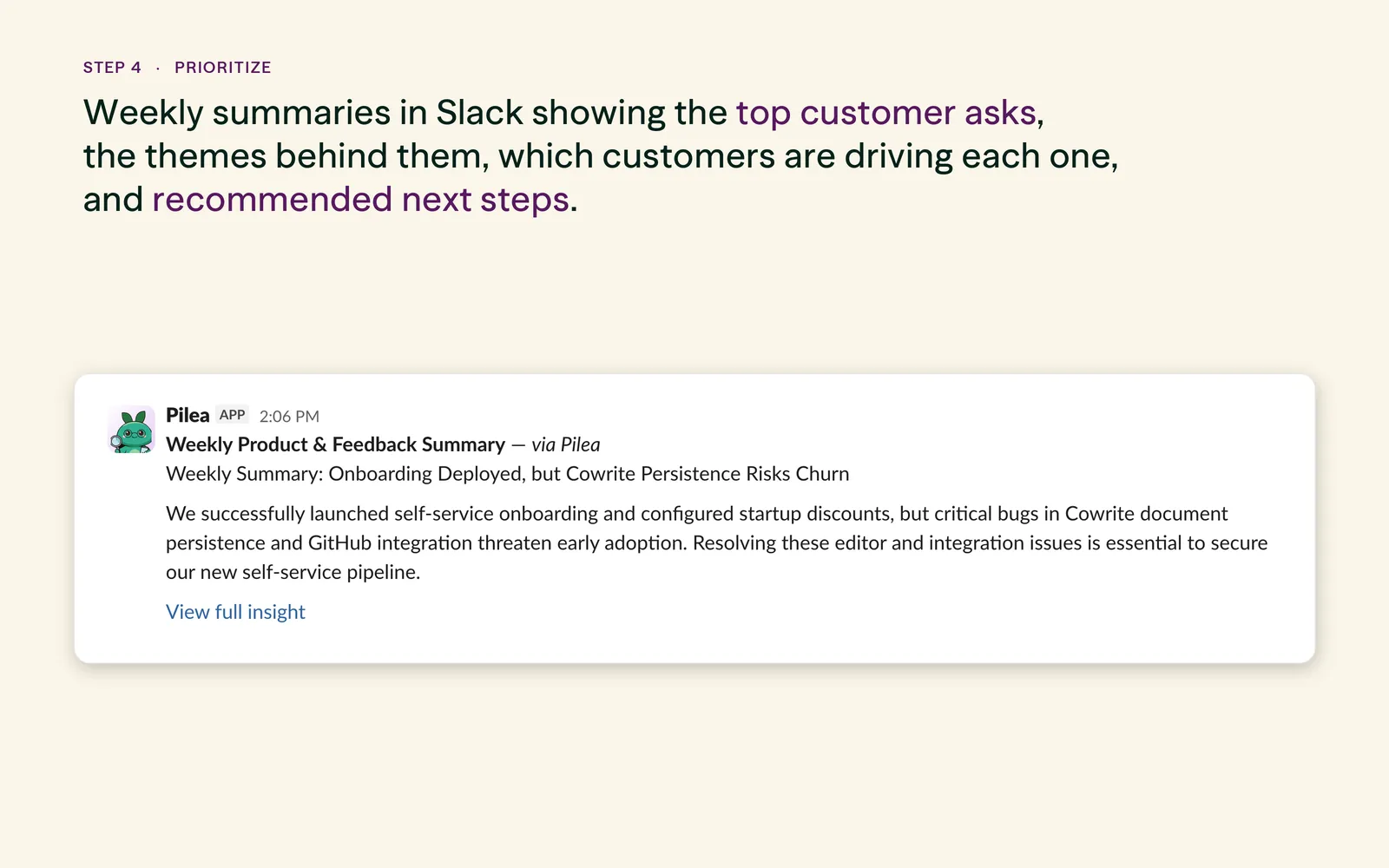
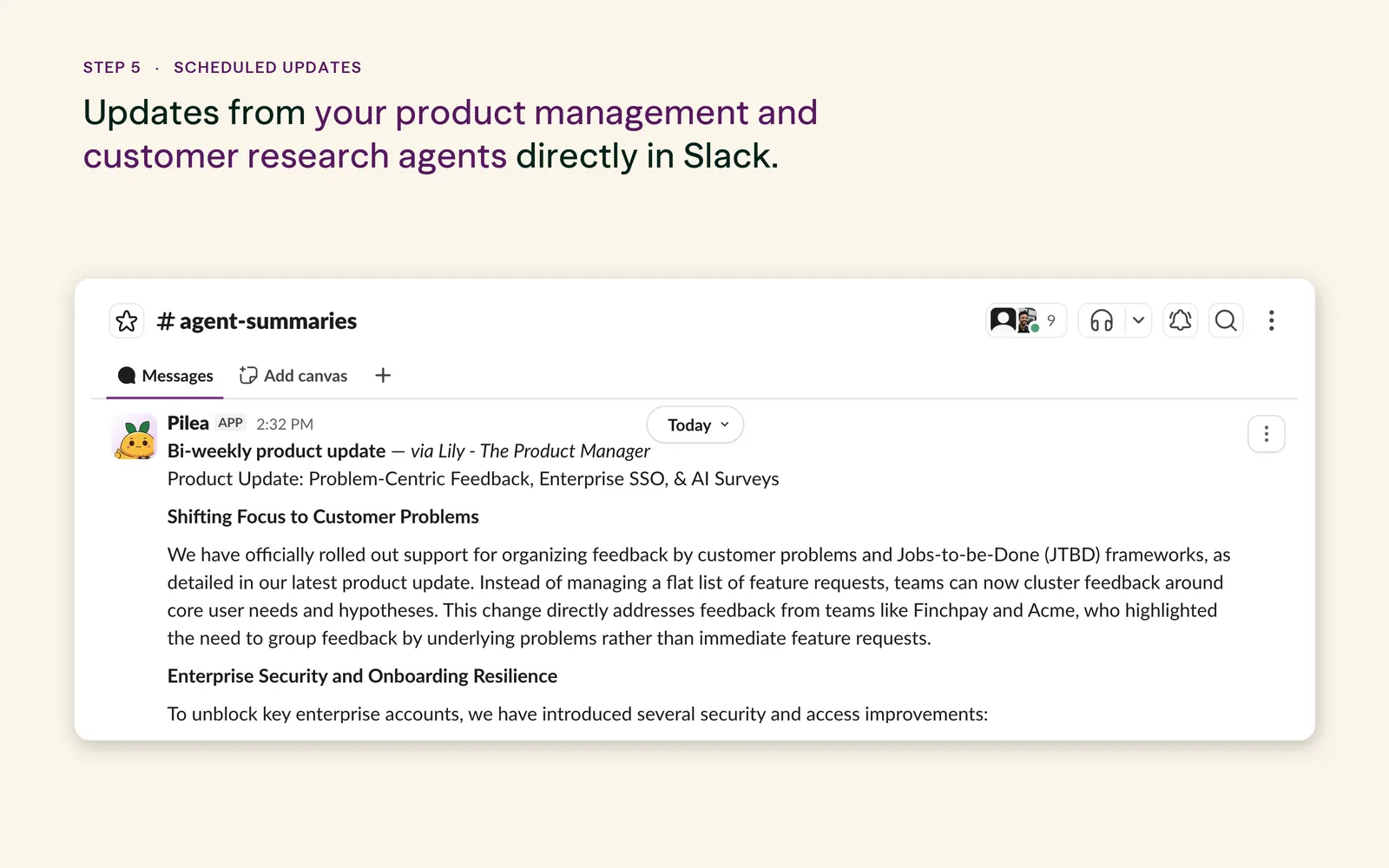
A note on AI-generated output: Pilea uses generative AI to summarize feedback, group related requests, and draft the updates shown above. AI-generated summaries, themes and recommendations may occasionally be inaccurate or incomplete — every insight links back to the original Slack message so you can check the source before acting on it.
Install Pilea for Slack
Pilea is installed from inside your Pilea workspace, which connects it to your Slack workspace in a couple of clicks.
-
Create or open your Pilea account
Sign up free at app.getpilea.com, or log in if you already have a workspace. You'll need admin access in Pilea to add integrations.
-
Go to Integrations
In the Pilea sidebar, open Integrations under Data Sources.
-
Connect Slack
Find Slack in the integrations grid and click Connect. You'll be sent to Slack to review the permissions — click Allow to finish installing.
-
Invite Pilea to your channels
Pilea only reads channels it's been invited to. In each channel you want captured, type
@pileainsightsand invite the app.
By installing, you agree to our Privacy Policy and Terms of Service.
“The quickest way to turn an internal conversation into structured feedback — without breaking your flow.”
Slack is where the informal, real-time layer of customer insight lives — the offhand quote, the “third time this week someone asked for this,” the demo note that never makes it into a ticket. It’s also where that insight quietly disappears.
Pilea gives every one of those moments a home. The signal lands in your scored backlog with the customer attached and the conversation kept as proof, so when a theme starts to build, you can see exactly who said what and when.

Your customers already told you what to build.
Pilea turns the feedback you already have into a scored backlog — evidence attached.
Free to start · No credit card · Quit anytime, keep your data